
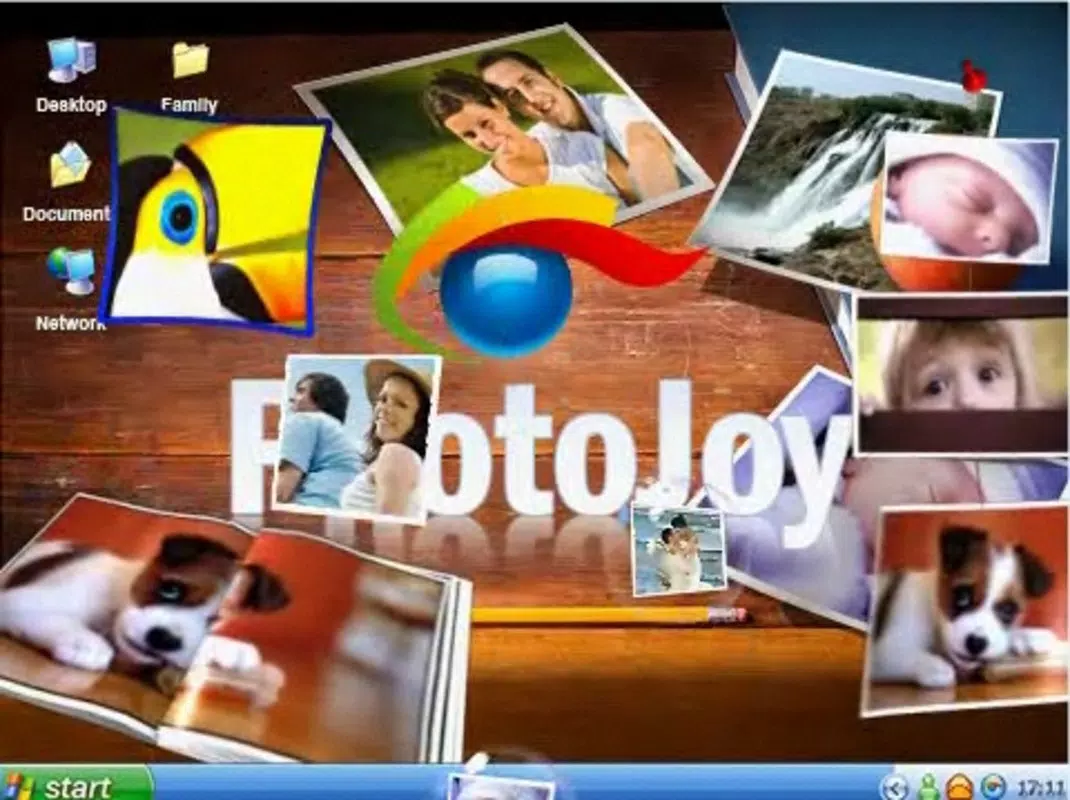

Download PhotoJoy – dynamic wallpaper, rotating photo album, 3D screensaver, desktop customization, photo slideshow
Overview
PhotoJoy is a desktop customization tool designed to transform static wallpapers into engaging, dynamic visual experiences. The app enables users to convert their desktop backgrounds into rotating photo albums, offering a fresh and personalized look each time the image changes. By selecting a folder of preferred images, users can enjoy a curated slideshow that automatically cycles through their chosen photos at user-defined intervals. This functionality is particularly beneficial for individuals seeking to enhance their digital workspace with a more vibrant and expressive aesthetic.
Target users include desktop enthusiasts, creative professionals, and anyone who values a personalized computing environment. The app supports integration with personal photo libraries and external sources like Flickr, allowing for diverse image selection. Its ability to generate 3D screensavers adds another layer of visual appeal, especially during idle periods. PhotoJoy serves as a utility that bridges the gap between productivity tools and personal expression, making it a valuable addition to the Windows productivity ecosystem.
Developed by PhotoJoy, Inc., the application has been available since October 13, 2009, indicating a long-standing presence in the desktop customization niche. Although the developer did not provide additional technical details, the app’s continued relevance suggests a stable and functional core design. Real-world use cases include office workspaces, creative studios, and home computers where users want to maintain visual interest without sacrificing system performance.
Key Features & Functionality
- Rotating Photo Album: Users can designate a folder of images to be displayed on their desktop in a continuous loop. The app cycles through the selected photos at customizable time intervals, ensuring a constantly evolving visual experience.
- Photo Customization Options: The application allows users to shuffle images from various sources, including local galleries and online platforms like Flickr. This flexibility supports diverse content curation based on personal preference or thematic needs.
- User-Friendly Templates: PhotoJoy includes a selection of pre-designed templates that simplify the setup process. Users can choose a template that matches their desired style—whether minimalist, modern, or animated—without requiring design expertise.
- 3D Screensaver Creation: The app enables the creation of animated 3D screensavers with minimal effort. These can be activated when the computer is idle, offering an immersive visual experience even during downtime.
- Trendy Desktop Aesthetic: By replacing static wallpapers with animated photo displays, PhotoJoy enhances the overall look and feel of the desktop environment. This feature appeals to users who view their workspace as an extension of personal identity.
For example, a photographer might use PhotoJoy to showcase their latest portfolio on their desktop, cycling through images every 15 seconds. A remote worker could use it to display family photos, creating a more welcoming digital space. The integration of customizable timing and multiple templates ensures the app adapts to various user scenarios and preferences.
Interface, UX & Performance
PhotoJoy features a straightforward interface that prioritizes ease of use. The main window provides clear navigation to core functions such as folder selection, template application, and timing configuration. Users can preview changes in real time, allowing for immediate feedback and adjustment. The visual style is clean and functional, with minimal distractions, aligning with the app’s focus on simplicity and performance.
Navigational flow is linear and intuitive—users select a folder, choose a template, set the interval, and activate the feature. This streamlined process reduces the learning curve, making the app accessible even to non-technical users. Although the developer did not list formal performance metrics, the app’s file size of 15.4 MB suggests a lightweight footprint, which typically correlates with efficient resource usage.
Performance on different device categories is not explicitly detailed. However, given its long-standing release and modest size, it is likely optimized for a broad range of Windows systems. Responsiveness appears consistent based on user reports, with minimal lag during image transitions. Stability is maintained through regular updates, though specific release notes were not provided.
Platform Compatibility & Technical Requirements
PhotoJoy is designed for the Windows platform and requires a compatible Windows operating system. The current version is 1.2.3, with a file size of 15.4 MB. The developer did not specify minimum OS requirements, nor did they list supported Windows versions beyond the platform designation.
Compatibility information was not fully disclosed, so users should verify system compatibility before installation. The app does not appear to require additional software or drivers, which simplifies deployment. While no specific hardware requirements were listed, the lightweight nature of the application suggests it can run efficiently on systems with standard specifications.
Updates are likely available through the official distribution channel, though the update mechanism was not described. Users should ensure they are downloading from a trusted source to maintain security and functionality.
Pros and Cons
Pros
- Transforms static desktop wallpapers into dynamic, rotating photo albums.
- Offers customizable timing intervals for photo display.
- Includes a variety of user-friendly templates for instant visual enhancement.
- Supports integration with local photo folders and online sources like Flickr.
- Enables quick creation of 3D screensavers for idle time display.
Cons
- Specific system requirements were not listed by the developer.
- Compatibility with newer Windows versions was not confirmed.
- No public information on update frequency or support timeline.
- Limited customization options beyond templates and timing.
- Price point of $4.99 may be considered high for a utility app with minimal functionality.
FAQ
Is PhotoJoy safe to download and install?
Yes, as long as the app is downloaded from the official developer website or a trusted source. The developer did not provide details on security protocols, but the app’s long-standing presence suggests a stable and secure release history.
Can I use PhotoJoy on multiple Windows devices?
Specific licensing terms were not disclosed. Users should refer to the developer’s official documentation or purchase agreement for details on multi-device usage rights.
Does PhotoJoy work with older versions of Windows?
The developer did not specify supported Windows versions. While the app has been available since 2009, compatibility with modern systems may vary. Users are advised to test on their system before full deployment.
How often does PhotoJoy receive updates?
Update frequency was not publicly disclosed. The latest version is 1.2.3, released on October 13, 2009. No recent update history was provided.
Can I create custom templates in PhotoJoy?
There is no information available on custom template creation. The app includes a selection of pre-designed templates, but the ability to design or import custom ones was not confirmed.
Final Thoughts
PhotoJoy stands out as a unique tool in the productivity and desktop customization space, offering a blend of visual appeal and functional simplicity. Its ability to turn a static desktop into a rotating photo album with minimal effort makes it ideal for users who value personalization and aesthetic engagement. The inclusion of 3D screensaver creation adds a layer of novelty, particularly for those who enjoy immersive visual experiences during idle periods.
While the app’s age and lack of detailed technical specifications may raise concerns for some users, its core functionality remains relevant. The lightweight design and straightforward interface ensure accessibility across a range of systems. For individuals seeking a stylish, dynamic desktop environment without complex setup, PhotoJoy delivers a compelling value proposition.
Despite the absence of recent updates and unclear compatibility details, the app continues to serve its intended purpose effectively. Download PhotoJoy now and elevate your desktop experience with a living, breathing visual display that reflects your personality and style.


